You’re free. Your coach isn’t.
Your schedules rarely line up. Extra sessions mean finding another slot and budgeting for more lessons.
AceMate by noqer · S10
Acemate Thailand by noqer · Local sales and support
You have time. You want to play. But your friend is working and your coach is fully booked. Another day on court gets pushed back.
What if your practice partner was ready when you were?

Getting a practice session together
Your schedules rarely line up. Extra sessions mean finding another slot and budgeting for more lessons.
They’re feeding balls while you hit. Feedback means shouting across the court or stopping to talk it through.
Your backhand needs more work, but your friend wants to play a set. Asking them to feed the same ball all afternoon feels like a favour.
A ball machine gets you hitting. A simulator gets you moving. Some days, though, you want a back-and-forth rally on a real court.
Meet AceMate S10
S10 is a robotic tennis practice partner. Its cameras track the ball, it moves to catch it in a net, then launches a return. It takes the other end of the court. You bring your racket.
Watch S10 move, catch and return in AceMate’s demonstration video.
S10 catches with a net and returns with its launcher. Watch the four steps working together in the video.
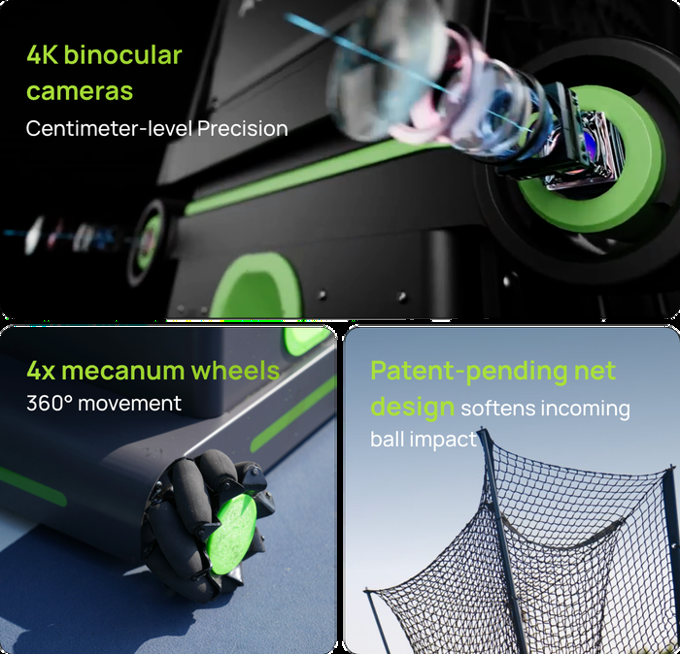
Dual 4K cameras track the ball in 3D and calculate where it is heading.
Mecanum wheels move in any direction, carrying the machine to the catching position.
Caught balls drop through the net and feed back into the machine’s ball circulation system.
The launcher sends a ball back using your selected mode and settings. Adjust speed, spin and placement in the app.
Catching performance depends on ball speed, spin and angle. Very fast or wide shots can fall outside S10’s catching range.
What are you working on today?
Choose rally mode for back-and-forth play. Set up repeatable feeds to work on a detail, or start with one of more than 100 preset training programs.
Return the ball, move your feet and get ready for the next shot.
Start short, find your touch and warm up before moving farther back.
Work on racket preparation and a controlled contact as the ball comes back from close range.
Set feeds to the side you want to practise and repeat at a pace that suits you.
Use high feeds to practise moving back, finding position and hitting overhead.
Set ball placement, move to each feed and recover for the next shot.
Choose a mode and adjust the feeds in the app to suit your practice goal.
Bring it to a coaching session
Set S10 to feed balls so your coach can watch your footwork, preparation and contact from nearby. Hear the feedback and try it on the next ball, without shouting across the court.
From setting up to looking back
Connect via Bluetooth on iPhone or Android, with Apple Watch support for control and session summaries.
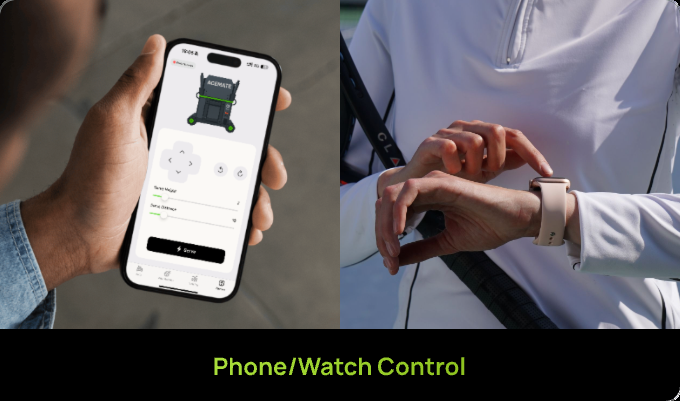
Slow the feed, add spin or send the next ball to your backhand. Adjust the session in the app without walking across to the machine.
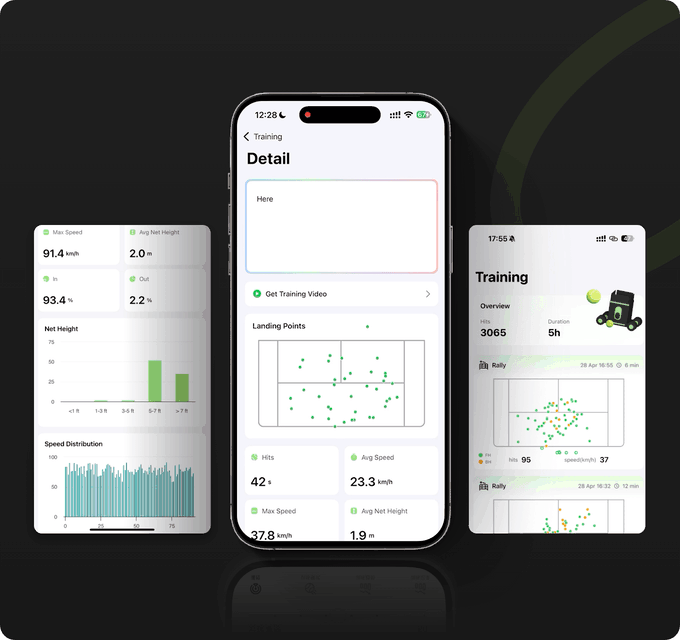
Review placement, speed and accuracy after practice. See which shots are missing the target, then decide what to work on next time.
Example report from Kickstarter. App appearance and available data depend on the app version and training mode.
The numbers behind your practice
Approximate maximum ball speed
97 km/hSlow things down to work on technique, then increase the pace when you’re ready.
Preset training programs
100+Pick a starting point and adjust the feeds to suit what you want to practise.
Battery runtime, up to
3 hoursThe battery is removable. Runtime varies with mode and settings.
Machine weight
17.8 kgThe net folds for storage. Check your storage space and how you will lift it into your car.
Tennis ball capacity
80 ballsLoad balls for feeding mode to work repeatedly on a chosen shot.
Maximum lob height
8 metresSet high feeds to practise moving back and hitting overheads.
Based on AceMate’s S10 specifications. Ball speed is converted to metric and rounded. Battery runtime depends on usage and conditions.
Folded: 45 × 55 × 50 cm. With the net extended: 170 cm tall. Weight: 17.8 kg. Measure your storage space and plan for lifting assistance if needed.
S10 specifications follow the current Acemate product page. Maximum figures and actual runtime depend on the mode, settings and conditions.
Check the manufacturer’s specificationsFrom the car to the court
Unfold the net, connect the app and choose what to practise. The guide covers getting started, ball jams and looking after your machine.
Read the setup and care guideUse a dry court, allow room for movement and assemble the net following the manual.
Switch on, connect your phone via Bluetooth and choose rally or ball-feeding practice.
Set speed, spin and placement to suit you. Try the feeds before increasing the difficulty.
AceMate lists hard, clay and grass courts for S10. The surface must be dry, with room for the machine to move. Check the surface and clear the area before each session.
Stop and move the machine somewhere dry. S10 is not waterproof. Avoid rain, wet surfaces and wet balls, and do not hose it down.
Folded dimensions are 45 × 55 × 50 cm and the machine weighs 17.8 kg. With the net assembled, dimensions are 45 × 55 × 170 cm. Check your boot and storage space before buying.
Acemate Thailand by noqer
Acemate sales and local support by noqer
Want to try S10, need help getting started, or have a question after buying? Talk to the noqer team. We are your contact in Thailand for purchasing, using and getting support for your Acemate.
Talk to noqerAsk noqer about a demo. Try a rally and explore the training modes before deciding whether S10 fits your game.
Ask about a demoSet up the robot, connect the app and choose a mode. Follow our local guide or ask the team when you need a hand.
Setup and care guideContact noqer about an issue or warranty question. We help review the details and coordinate the next steps under the applicable service terms.
Warranty and serviceRegister your productReady to give it a go?
Try a rally. Explore the training modes. See if S10 fits your game. Tell noqer your preferred area and availability to check demo options.
Know the price, delivery plan and payment split before you decide.
Pre-order detailsOnline payments are not open yet.
Regular price 139,000 ฿
Delivery: November 2026
Tax and delivery within Thailand included
Pre-order offer through 31 December 2026
Sold and supported in Thailand by noqer
Warranty and service
S10 accessories and an optional extra year of warranty.
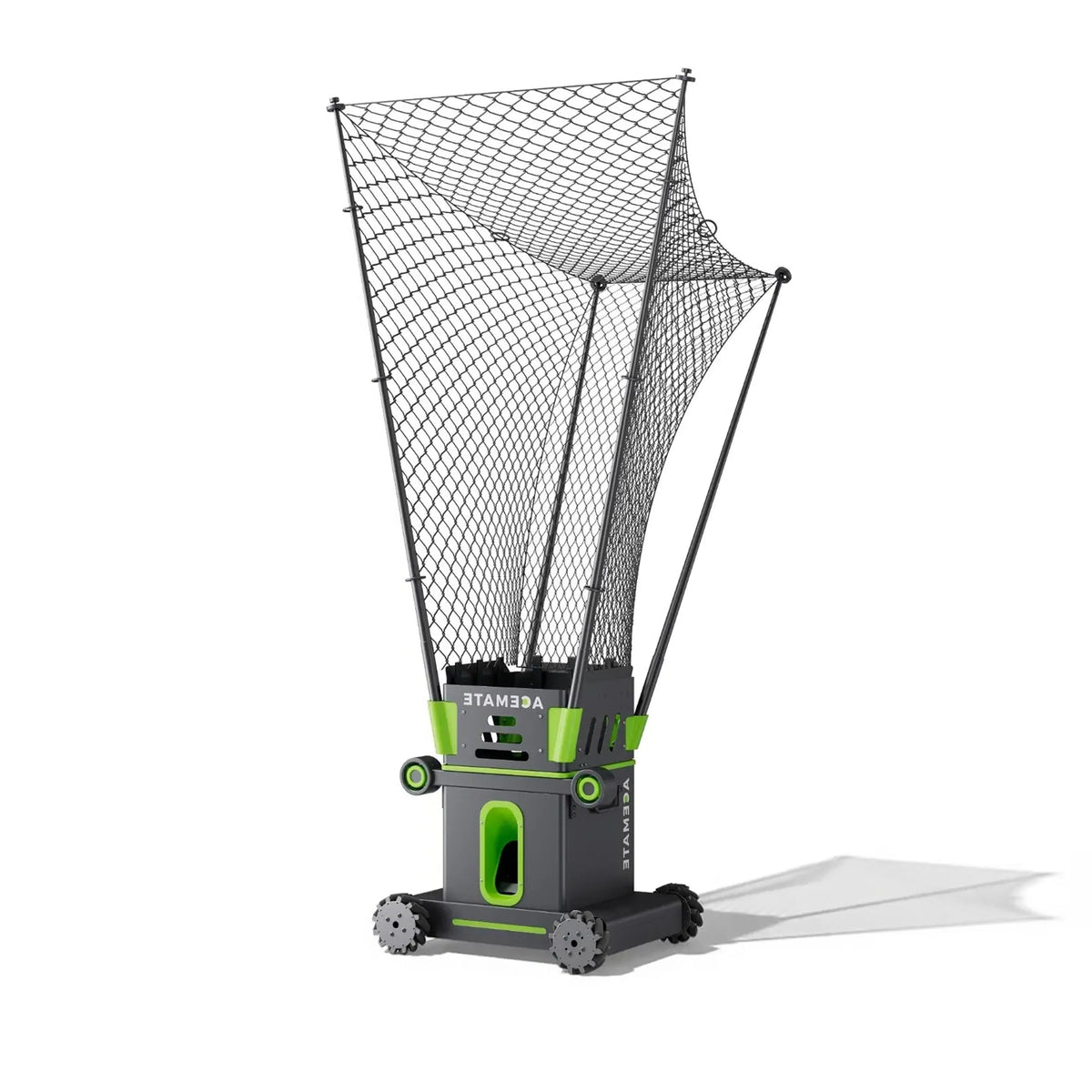 Net shown on the S10; robot not included.
Replacement net for the S10. Confirm the supplied parts before ordering.
5,000 ฿Estimated price. Confirm the final price, included parts and delivery time before ordering.
Ask about this item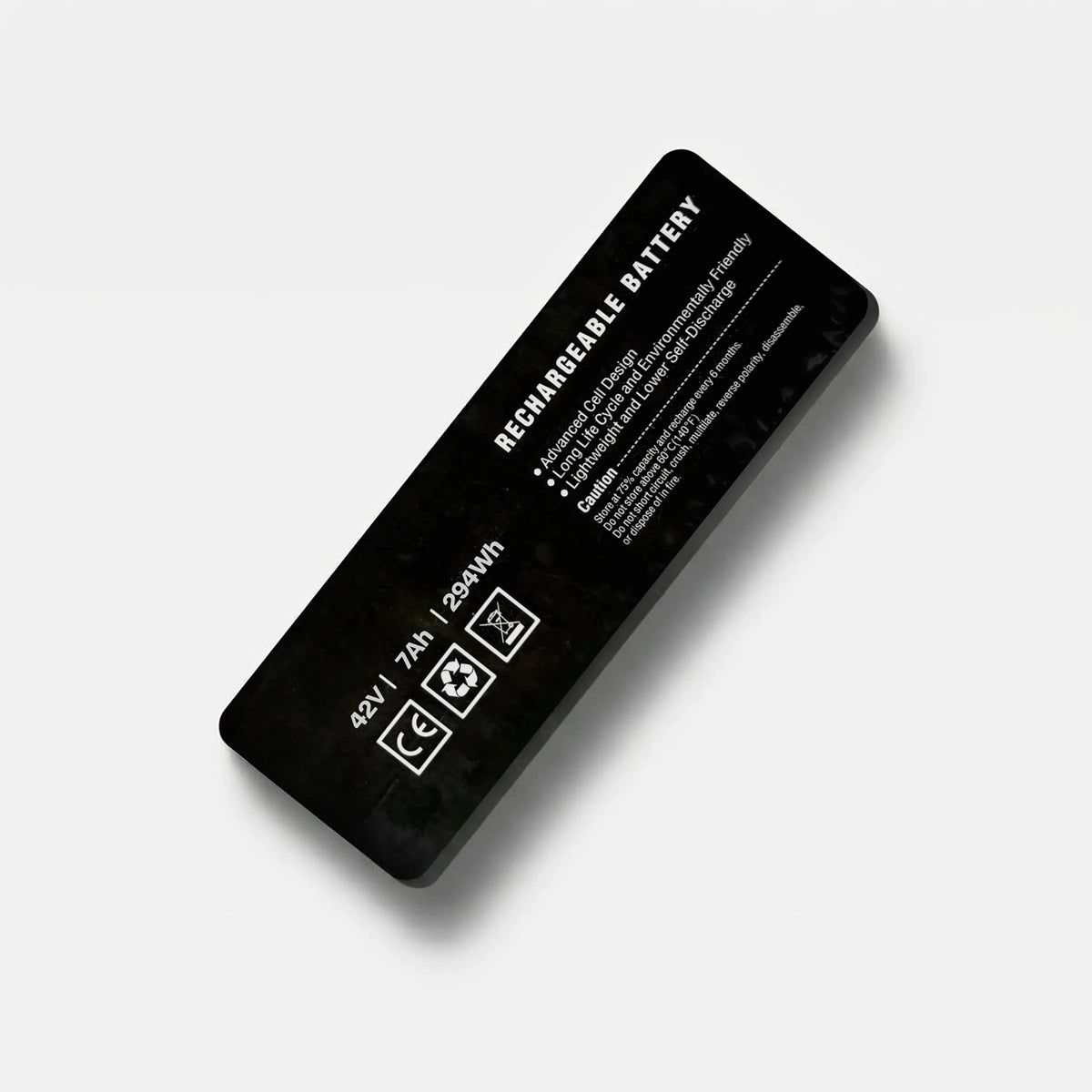
Keep a charged spare ready for your next session.
5,000 ฿Estimated price. Final availability and compatibility are confirmed before payment.
Ask about this item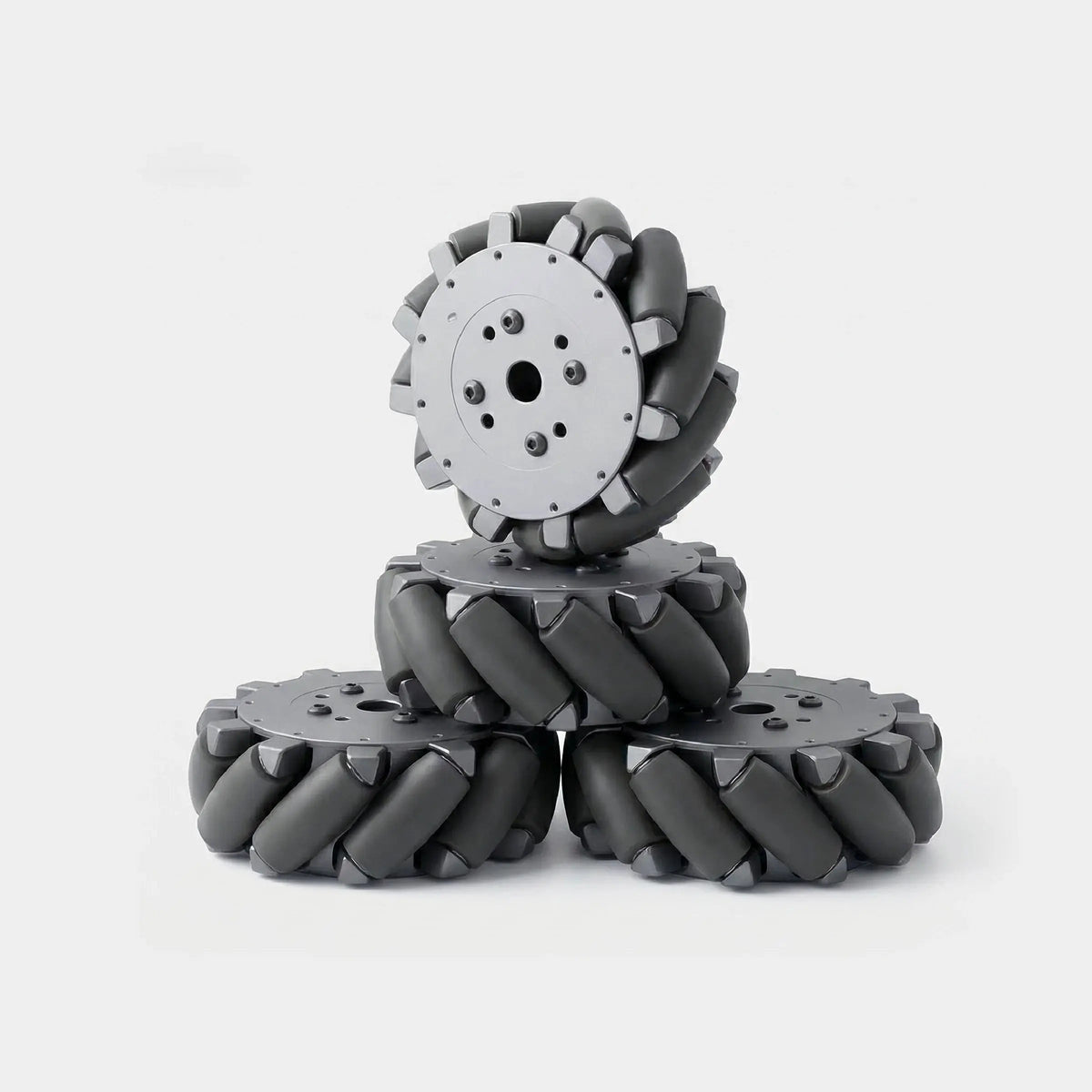
Replacement wheels for responsive movement on court.
5,000 ฿Estimated price. Confirm the wheel set supplied with noqer.
Ask about this itemAdd one year to the standard one-year warranty: two years in total.
5,000 ฿Eligibility and extended coverage will be confirmed before this plan goes on sale.
Ask about this item